.jpg)
Key takeaways
- Fax began as an idea about sending images over wires that is older than the telephone. The office fax machine was one packaging of it, made interoperable worldwide by the Group 3 standard of 1980.
- From the mid-1980s the machine came apart: fax boards and modems moved the endpoint onto a desk computer, and fax servers put shared lines on the office network.
- Internet fax standards published in 1998 set out two ways for fax to cross data networks. They describe protocols, not any particular app; in the archive's account, a phone fax app hands the document to a service, which places the call.
- Fax, from the HELPERG ecosystem, comes as two separate services: faxB2B in the browser and the FAX: send from phone app for iPhone and Android. Their interfaces live on personal screens, and faxB2B's can be light or dark.
Fax outlived the machine
Ask when the fax machine died and there is no clean answer, because it never quite did. The archive's account of the decline of office fax machines describes a long fade rather than a switch-off: a network that thinned out over years, because a fax machine is useful only while the people you deal with still have one. Email made fax optional long before it made it rare.
The workflow the machine served has outlasted it. Orders, forms and signed agreements still travel by fax, for reasons the archive's essay on why fax is still used traces to procedure rather than nostalgia: where a rule names fax as an accepted method, a technically better channel does not automatically inherit its standing. What changed is where a fax can begin and end. It no longer has to be the box in the corner of the office.
That is the paradox this story follows: the machine declined, and the fax survived it. Following the fax rather than the machine leads, one step at a time, from a telephone line to software, and to the services this article introduces.
An idea older than the telephone
The idea is more than a century older than the office machine. The IEEE's record of facsimile standardisation ascribes its founding principle to Alexander Bain in 1843, more than thirty years before Alexander Graham Bell's telephone of 1876. Nineteenth-century apparatus already did what every later fax would do: scan an image line by line, send a description of it over a wire, and rebuild it at the far end. The archive's history of fax machines follows that line from early experiments to the office.
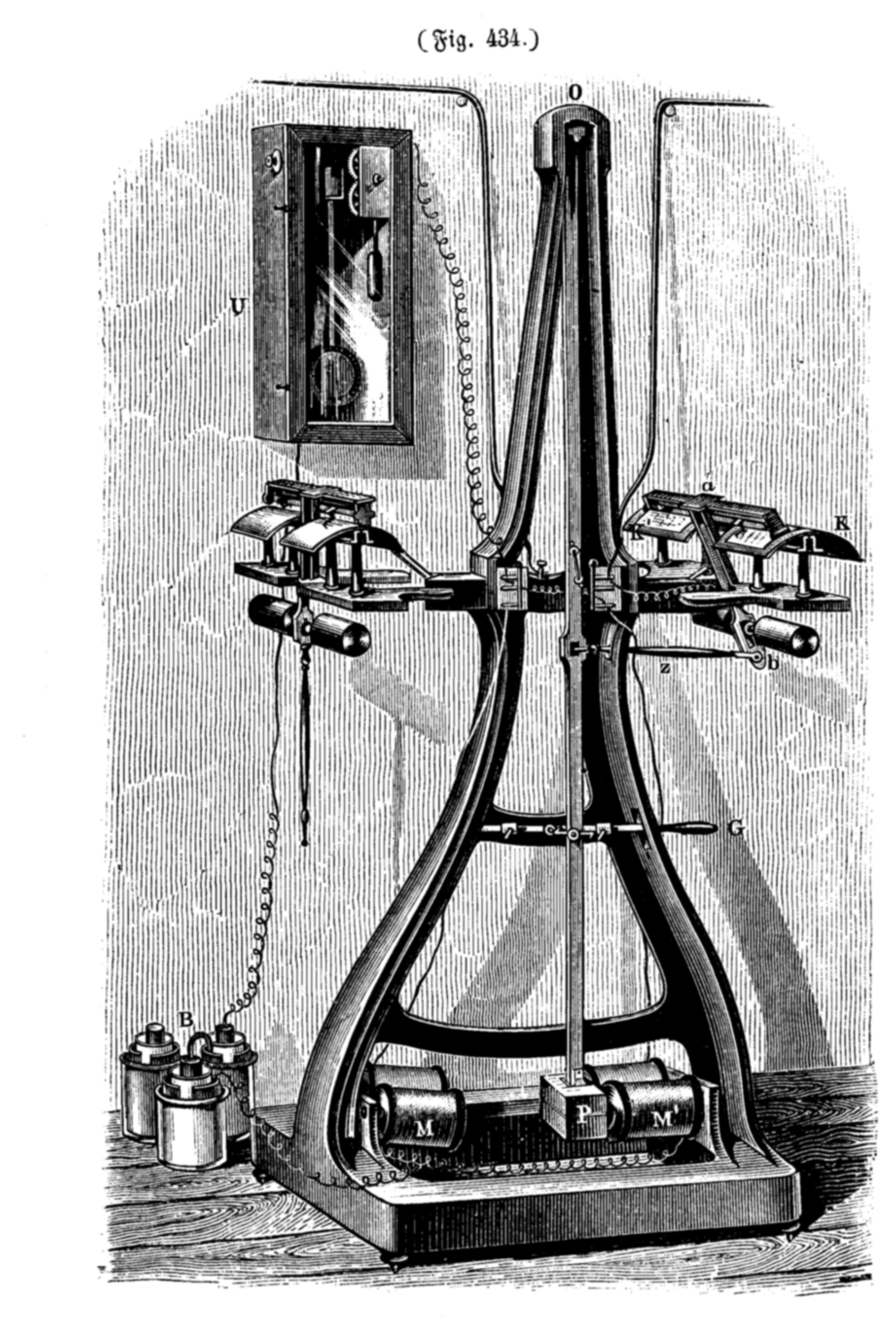

What turned the principle into office equipment was the telephone network and, above all, agreement. The IEEE record notes that early adopters bought facsimile machines in matched pairs, to talk to themselves. International standards changed that. Group 1 arrived in 1968 and Group 2, the so-called three-minute facsimile, in 1976. In 1980 the CCITT recommended Group 3, the digital one-minute facsimile which, in the words of the IEEE record, enabled the intercommunication of all facsimiles throughout the world. Group 3 machines negotiate their capabilities at the start of every call under ITU-T T.30 and encode the page under T.4, which is why a machine from one maker could talk to any other.
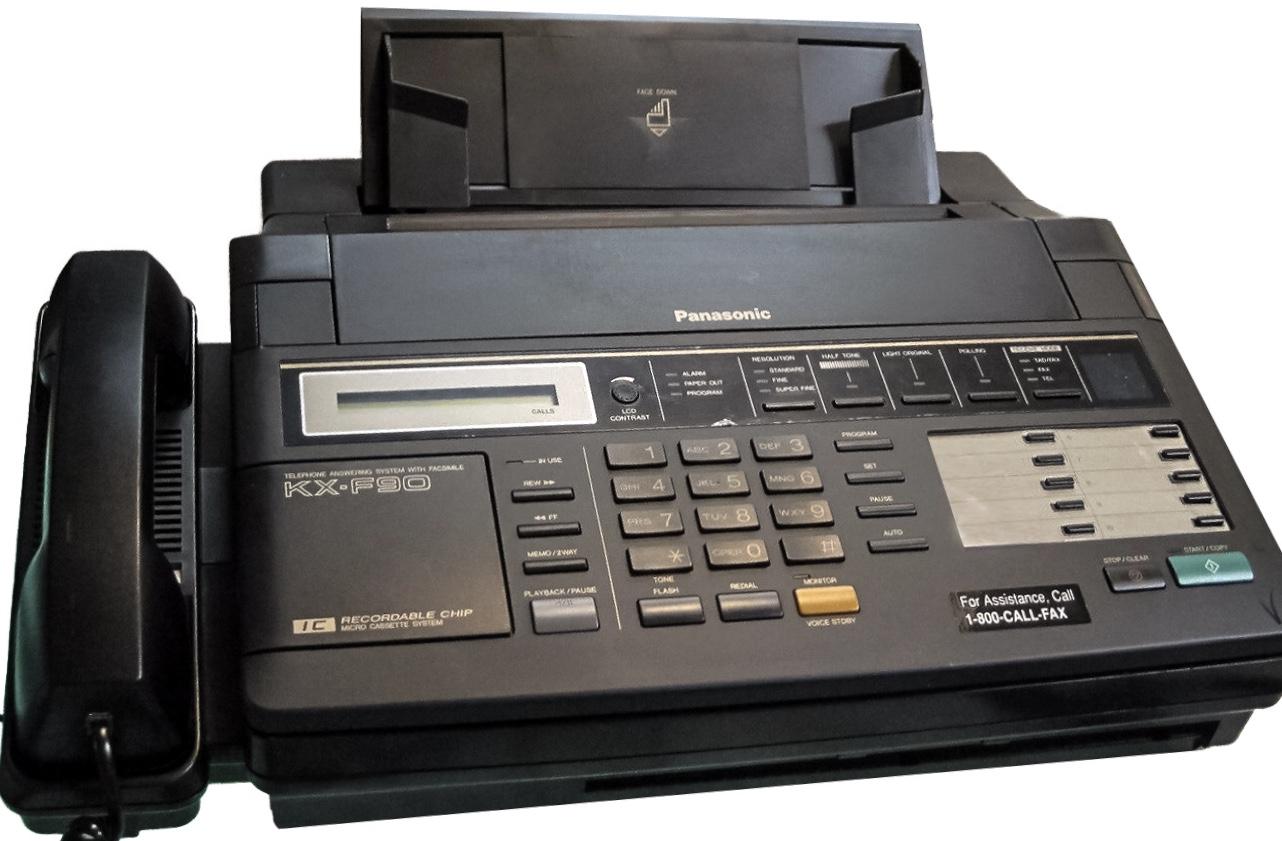
The machine that resulted bundled three devices around one phone line: a scanner, a modem and a printer. It was shared infrastructure, one machine for a floor, and the archive's history of business faxing describes how a fax number became as expected on a letterhead as a telephone number. Its routine was the routine of a shared object. A cover sheet named the sender, the recipient and the page count; someone waited for the confirmation slip; incoming pages sat in a tray that anyone could read. The archive's portrait of offices before email is built around that routine.
The computer learns to fax
The first parts to leave the box were the scanner and the printer. By the mid-1980s, plug-in fax boards let a desktop computer act as a fax terminal; the Smithsonian's record of an early GammaFax card describes it as letting a personal computer print directly to a facsimile machine. On the sending side, the document no longer had to become paper at all.
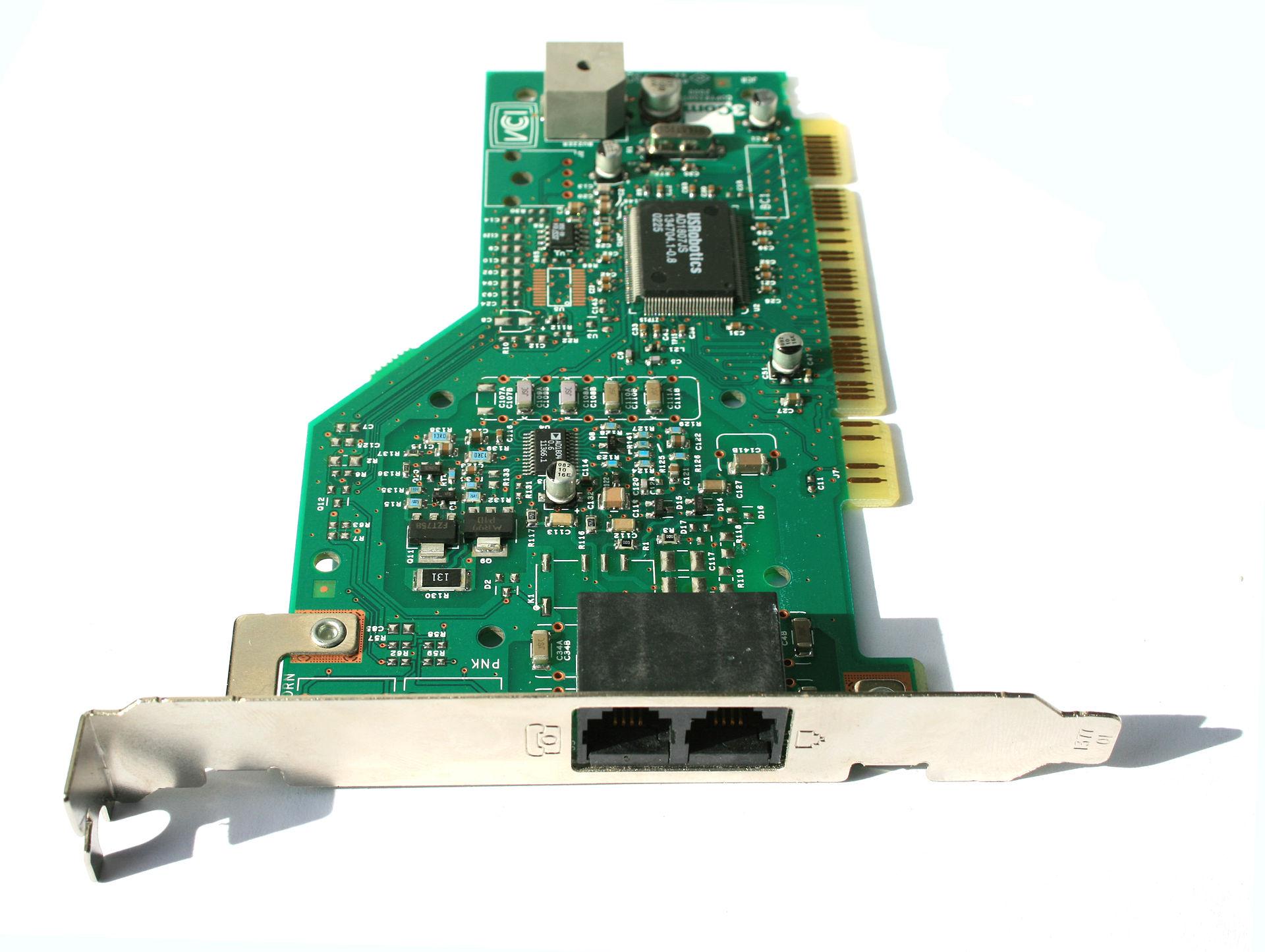

Fax modems made the same capability ordinary, and they carried a quiet architectural decision with them: whether the modem or the host computer ran the T.30 procedure that governs a fax call. One modem maker's developer guide is explicit that under Service Class 1 the host implements all of the T.30 and T.4 procedures, while under Classes 2 and 2.0 the modem does. When the host ran it, a fax was no longer a property of a machine. It was largely a matter of software.
Fax moves onto the office network
Offices then pooled the capability. A fax server put shared lines and modems on one machine on the network, so people could send from their desks while the server queued, dialled and kept records. It also exposed a limit built into the standard. A Group 3 fax carries an image and station identifiers but, in practice, nothing that says who it is for: the optional subaddress that could name a recipient, defined in ITU-T T.33 in 1996, was rarely sent. So a server had to work out the recipient, most often from the number that had been dialled. The archive's account of fax servers and inbound routing describes how direct inward dialling came to do that job.
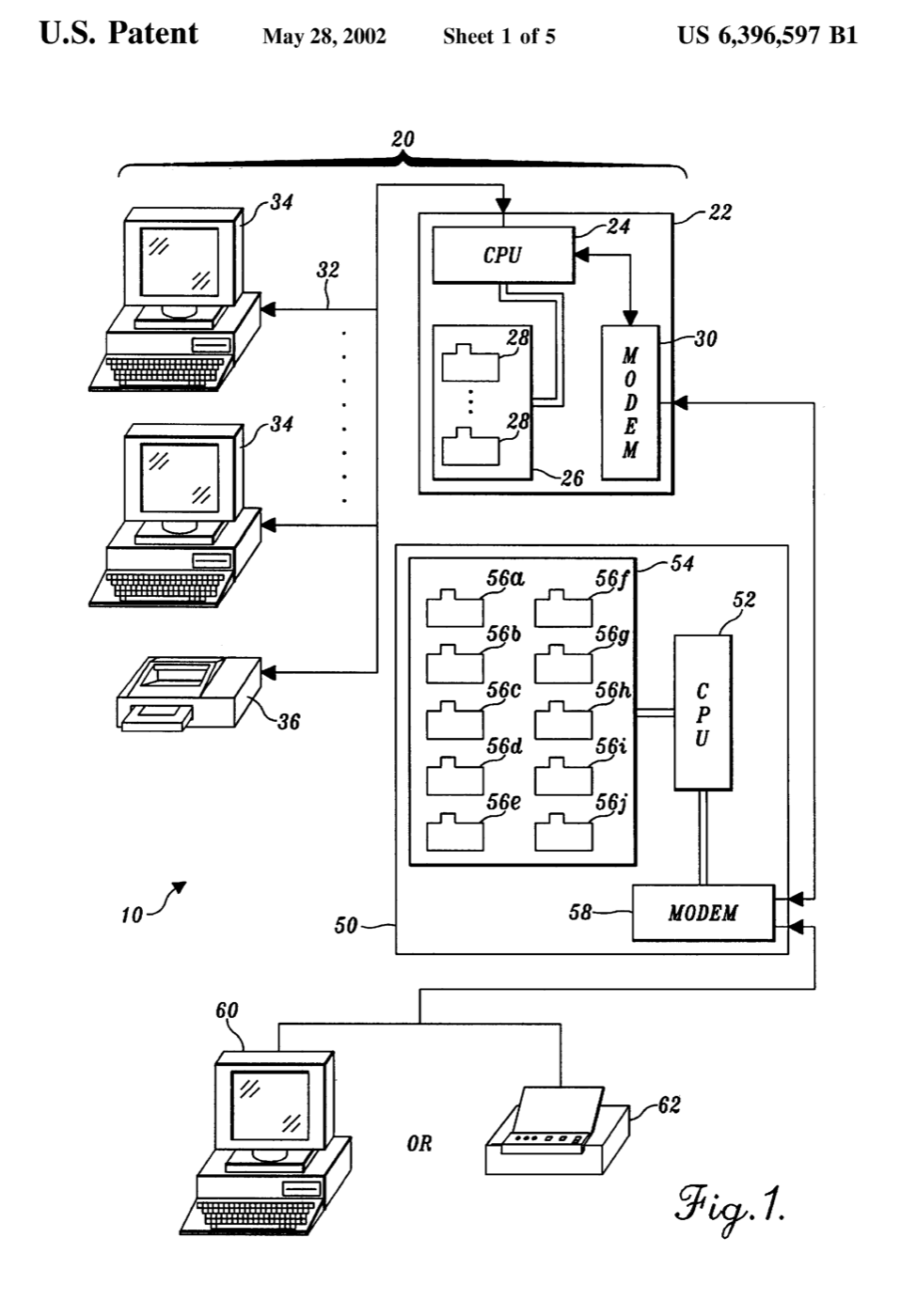
The printer did not disappear either. As late as Windows Server 2008, Microsoft's documentation for the fax role lists the routing methods for a received fax as forwarding it to an email address, storing it in a folder, or printing it. The fax had become a service on the network, and very often it still ended on paper.
When the data network carried the fax
The last structural step came with two ITU-T Recommendations that share a June 1998 base text. T.37 moves fax by store-and-forward, carried as internet mail; T.38 relays a live fax call across an IP network, usually between gateways. The archive's guide to internet fax standards insists they are complements rather than generations, and both remain in force. Its comparison of analog and digital fax describes what the shift did to offices: fax no longer needed its own line and machine, and could become a service sent from a computer and received as a file.
It matters what these standards are not. T.38 does not send a fax as audio, and it does not turn the page into a document file: a gateway demodulates the fax call on one side and re-creates it on the other, so the two fax machines never speak to each other directly. The archive's reference entry on T.38 fax relay explains the mechanism in detail. Neither Recommendation describes how any particular app is built. An app-based fax service does not need the phone to speak T.30: the document travels over a data network to a service, and the service places the telephone call.
Introducing Fax
Fax is far from the only online fax service or phone fax app. It is the HELPERG ecosystem's version, made by HELPERG LLC, the company that publishes PrinterArchive, and it comes as two separate services. On the web it is faxB2B, an online fax service for business teams at faxb2b.com that runs in the browser with nothing to install. On phones it is an app published as FAX: send from phone, on the App Store for iPhone and iPad and on Google Play for Android; faxB2B's website links to both listings as its mobile fax app. The two are run separately. faxB2B's Terms and Privacy Policy state that they do not cover mobile apps, and this article makes no claim that an account, a fax number or a fax history carries over between them.
faxB2B's own pages describe its workflow. A fax starts from PDF, PNG or JPEG files, up to five files of 5 MB each and 20 pages per fax, merged in the order they are added. It can also start from a page photographed with a phone's camera inside the browser, then cropped and rotated into a fax page. A cover sheet can be added, and pages can be typed on, drawn on and given a visual signature before they go. Faxes are sent to numbers in the United States, Canada and the countries of the European Union. For receiving, a team picks a dedicated number in the United States or Canada, and incoming faxes arrive in a shared inbox as PDFs.
Its terms set conditions that matter to anyone reading this. faxB2B is for business use only, and it is not currently offered to customers in the European Economic Area, the United Kingdom and several other countries, a limit on who can sign up rather than on where faxes can go. Its pricing page also says the service has not launched in final form: prices and billing rules are placeholders until launch, and new teams start on a free trial.
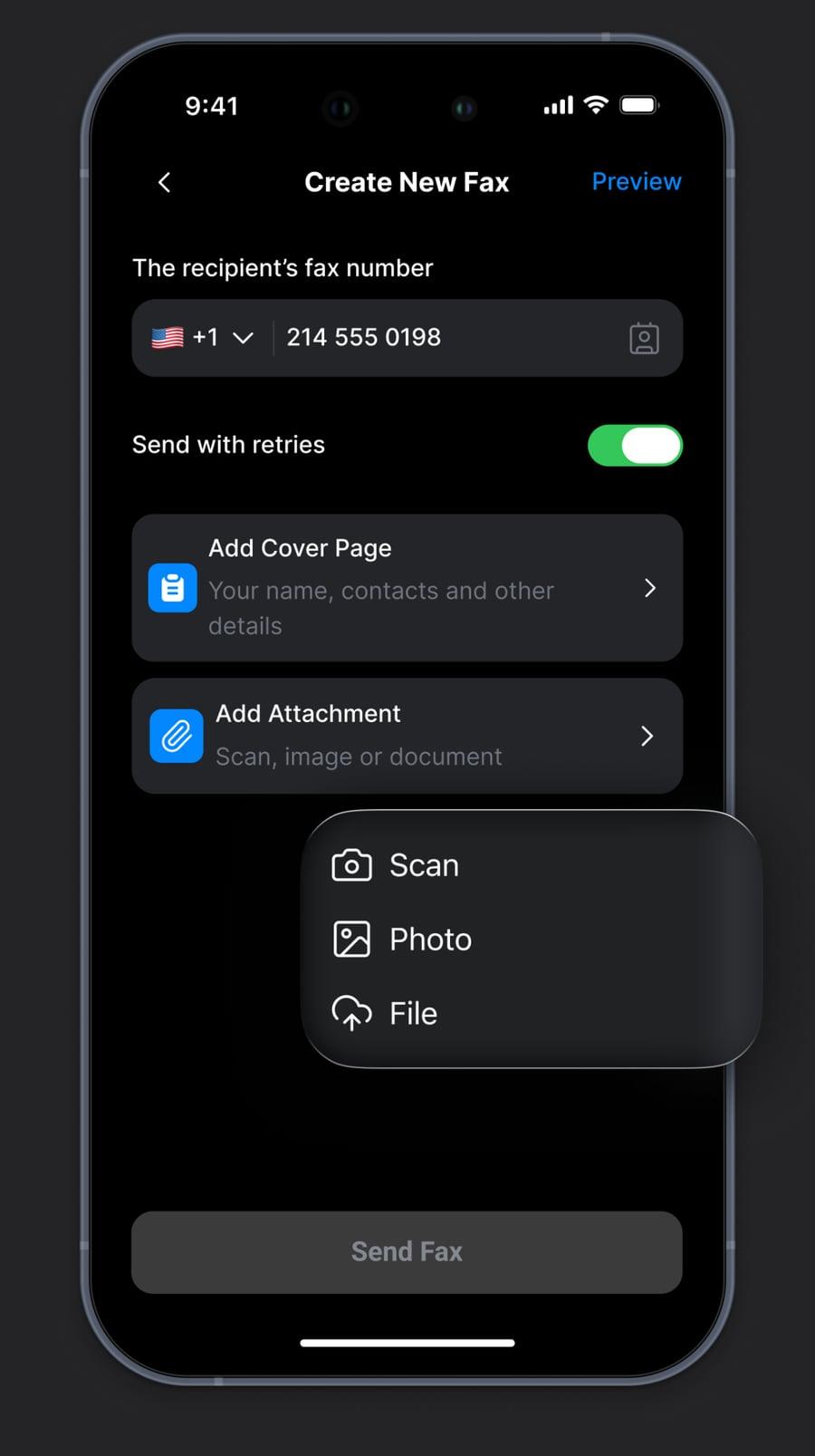
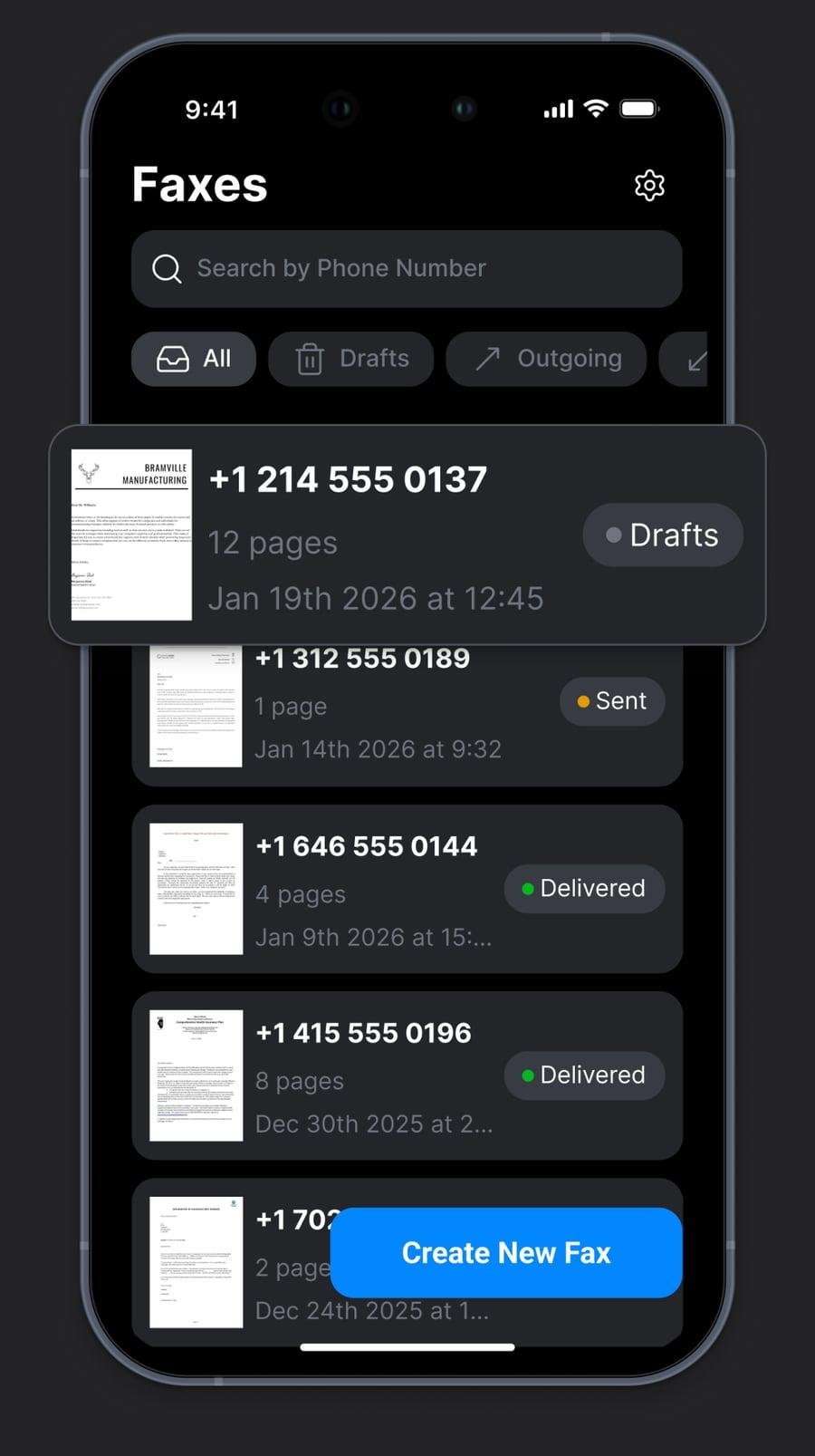
The store listings describe the same core jobs from a phone: sending and receiving faxes without a landline, uploading PDFs or scanning paper with the camera, a built-in scanner that crops and enhances pages before they are sent, and a history that shows delivery status and lets a fax be resent. Two of the official screenshots show the working screens: a new-fax form with a country code and the recipient's number, a switch to send with retries, an optional cover page and attachments from a scan, a photo or a file; and a fax list that marks each fax as a draft, sent or delivered.
Fax does not have to look like a fax machine
For most of its working life, fax was furniture. The machines this archive catalogues, from thermal-paper fax machines to plain-paper office units, were shared equipment built around a paper path, a keypad and a telephone line, finished in the neutral plastics of office hardware. Nobody chose how a fax machine looked, any more than they chose how the photocopier looked. Its interface was a small display and a row of labelled buttons, and it belonged to the room rather than to a person.
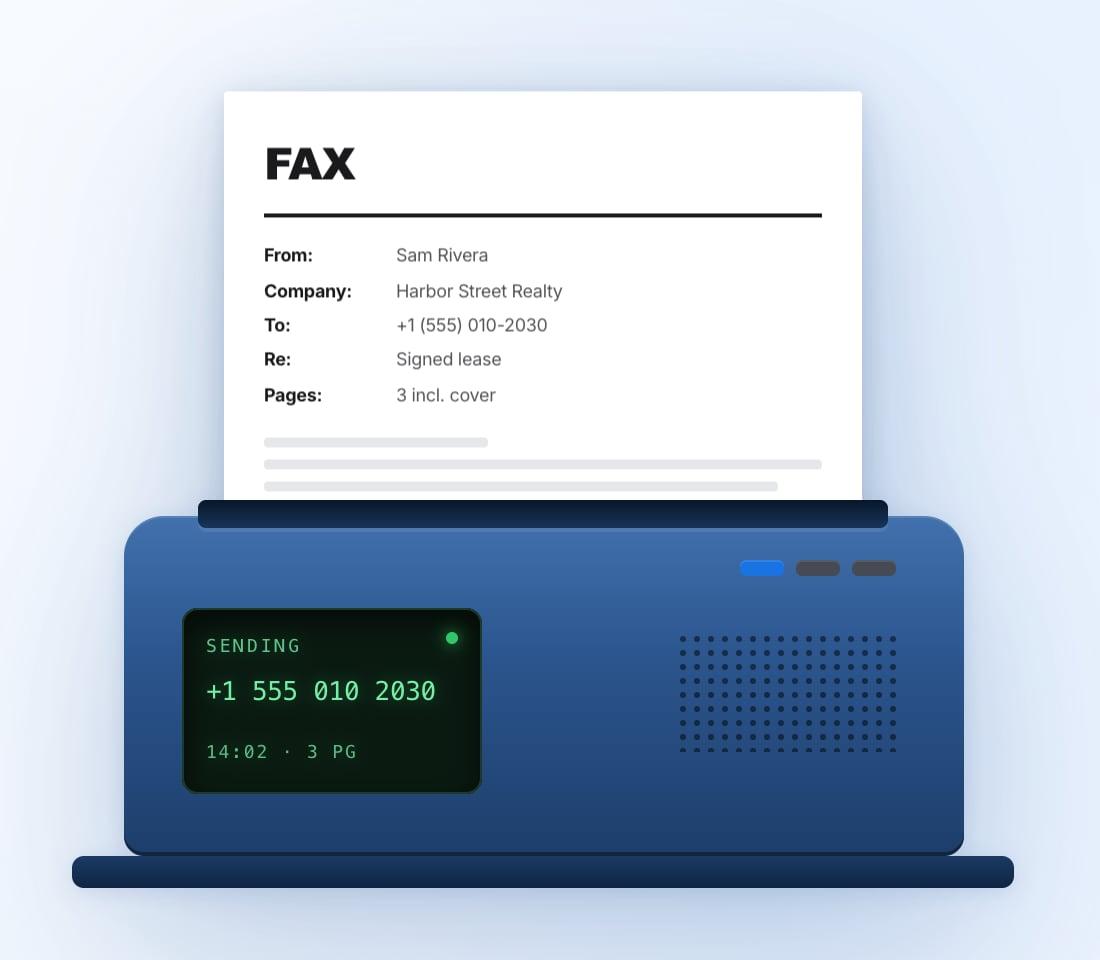
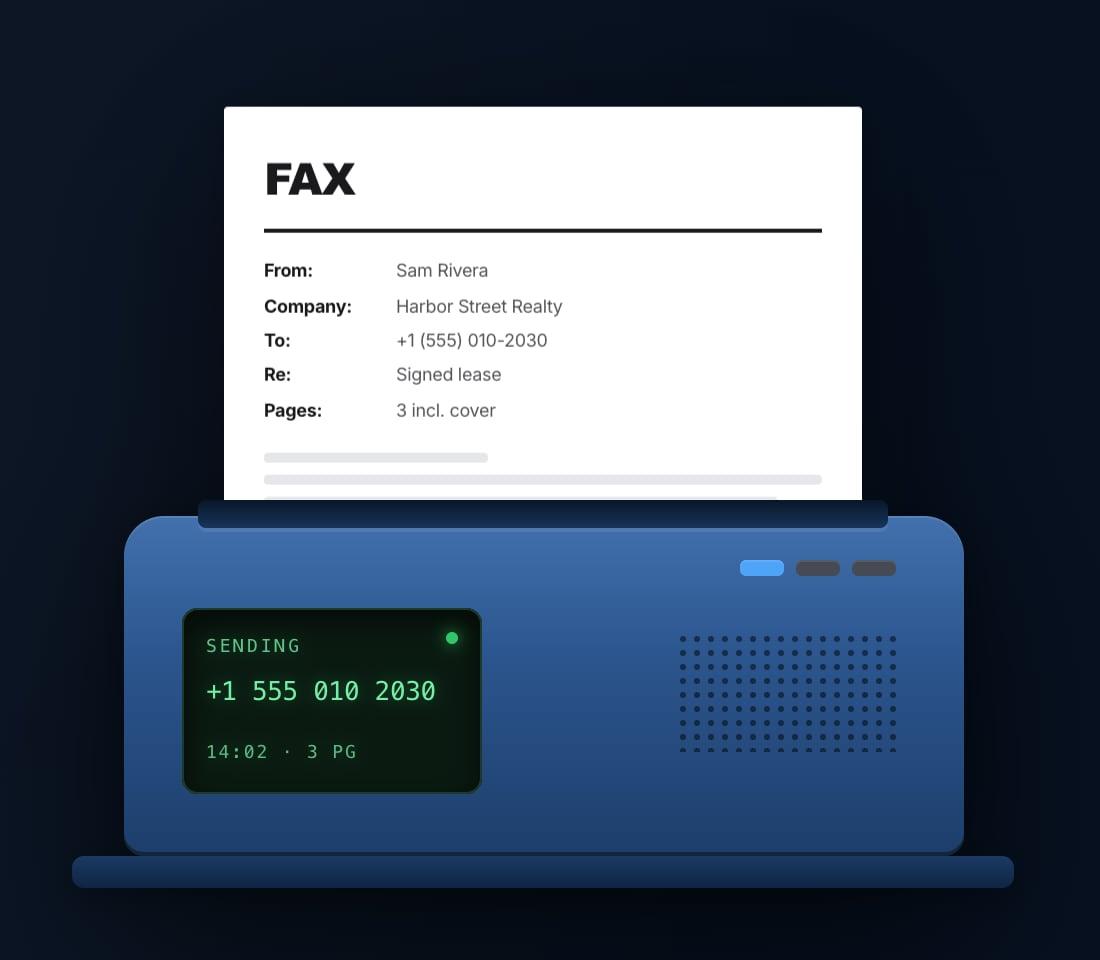
Software removes that constraint. A fax workflow that lives in a browser tab or on a phone is drawn on a personal screen, in whatever light its owner happens to work in, and the interface no longer has to imitate the machine. faxB2B's homepage makes the point visually: its illustration is a fax machine, drawn rather than owned, with a cover sheet rising out of it and a small display that reads SENDING. The machine has become an icon of the workflow instead of a requirement for it.
Why both a light and a dark theme
On the web, faxB2B offers both: it opens in a light theme, and a sun-and-moon button in its header switches the site to a dark one. The two answer different working conditions, not only different tastes.
A light theme keeps the register of the document itself. A fax is a page, dark marks on white paper, and most of the work on screen is the work of reading one: checking a cover sheet, reviewing a scanned contract before it goes. Dark text on a light ground keeps the screen visually continuous with the paper it stands for, and it suits a bright office.
A dark theme serves the other conditions: a lower-luminance interface for dim rooms and late work, and for people who simply prefer it. That preference is now built into the platforms themselves. Apple describes Dark Mode as a systemwide appearance setting tailored for low-light environments, and Android has offered a system dark theme since Android 10. This article makes no claim about how either Fax service follows those system settings. The app's official screenshots show it only in a dark interface, with each document preview standing out as a white page: even on a dark screen, the page is still the brightest thing in view.
From shared equipment to a personal choice
The deeper change is who decides. A fax machine's appearance was settled once, by its manufacturer, for everyone who would ever stand in front of it. On faxB2B a theme switch hands that decision to the person at the screen, and the browser remembers it. The fax inbox may still be shared, as the machine by the door once was; the way it looks no longer has to be. It is a small control, but it marks the distance the workflow has travelled, from institutional hardware that belonged to an office to personal software arranged by the individual using it.
The workflow is old. The interface does not have to be.
What has not changed
Moving the interface did not move the network. faxB2B describes each fax as a live call between two machines and states what follows from that: documents are encrypted at rest and in transit to its carrier, but faxes cross the telephone network unencrypted. Its Terms set out what a receipt shows. A delivery receipt records what the receiving machine confirmed to the carrier; it does not prove that a person received or read the fax, or that it counts as legal notice. That is the modern form of the confirmation slip waiting by the office machine: a record of transmission, not of attention.
The through-line
Set the stages side by side and the shape of the change is clear. A principle older than the telephone became a machine, then a standard that let every machine talk to every other, then a card in a computer, a server on a network, a pair of protocols for data networks, and finally software on a phone and in a browser. At each step one part of the original box moved somewhere else, and the fax went with it. The same relocation happened to printing, which the companion story follows from the printer driver to the phone.
What survived all of it is the workflow: a page, sent to a number, with a record that it arrived. PrinterArchive exists to document exactly this kind of transition, the point at which a technology stops being a device and becomes a habit carried by something else. The fax machine became software. The page it sends has barely changed; the screen it starts from can now be light, dark, and personal.
[1]Frequently asked questions
- Are faxB2B and the FAX: send from phone app the same service?
- No. Both are made by HELPERG LLC, and faxB2B's website links to the app as its mobile fax app, but faxB2B's Terms and Privacy Policy state that they do not cover mobile apps. This article makes no claim that an account, a fax number or a fax history carries over between them.
- Does a fax app on a phone use T.38?
- Not on the phone itself. T.38 is an ITU-T Recommendation for relaying a live fax call across an IP network, usually between gateways. An app-based fax service does not need the phone to speak fax protocol: the phone sends the document over a data network to a service, and the service places the call. How a particular service reaches the telephone network is its own engineering choice; faxB2B describes its fax pipeline as working through an established telecom carrier, with each fax a live call between two machines.
- Does online fax still use the telephone network?
- For faxB2B, yes, by its own description: each fax is a live call between two machines. The service states that documents are encrypted at rest and in transit to its carrier, and that faxes cross the telephone network unencrypted.
- What does a fax delivery receipt prove?
- That the receiving machine confirmed the transmission, not that a person read the fax. faxB2B's receipt is a PDF recording the destination, time, page count and a SHA-256 fingerprint of the exact document version sent, and its Terms state that a receipt does not prove that a person received or read the fax, what the recipient's copy looks like, or that it counts as legal notice, service or filing.
Source transparency (20 sources)
These references support claims made in this entry, in two kinds. Historical and technical claims rest on institutional and public-domain sources; see Source policy. Product claims rest only on the product’s own website, documentation and store listings, which are listed separately and describe what the product says about itself.
Sources consulted (20)
Historical and technical sources (12)
- Milestones: International Standardization of G3 Facsimile, 1980 — IEEE Engineering and Technology History Wiki
- ITU-T Recommendation T.4: Standardization of Group 3 facsimile terminals for document transmission — ITU-T
- ITU-T Recommendation T.30: Procedures for document facsimile transmission in the general switched telephone network — ITU-T
- Gammafax PC fax card (object record, serial #1004) — Smithsonian National Museum of American History
- Fax Service Class 1 and Fax Service Class 1.0 Developer's Guide (S000262C) — Multi-Tech Systems, Inc.
- ITU-T Recommendation T.33: Facsimile routing utilizing the subaddress — ITU-T
- US 6,396,597 B1: Computer network-based facsimile reception system (filed 10 February 1993) — USPTO / Google Patents
- Incoming Routing Configuration (Windows Server 2008 Fax Service Manager) — Microsoft Learn (archived Windows Server documentation)
- ITU-T Recommendation T.37: Procedures for the transfer of facsimile data via store-and-forward on the Internet — ITU-T
- ITU-T Recommendation T.38: Procedures for real-time Group 3 facsimile communication over IP networks — ITU-T
- Dark Mode (Human Interface Guidelines) — Apple Developer
- Implement dark theme — Android Developers
Product sources — the product’s own material (8)
- faxB2B: Online Fax for Business and Teams — HELPERG LLC
- Fax Help: Sending, Fax Numbers and Billing — HELPERG LLC (faxB2B help centre)
- About faxB2B — HELPERG LLC
- faxB2B Terms of Use (effective 1 October 2026) — HELPERG LLC
- faxB2B Privacy Policy — HELPERG LLC
- faxB2B pricing (placeholder prices until launch) — HELPERG LLC
- FAX: send from phone, App Store listing — HELPERG LLC
- FAX: send from phone, Google Play listing — HELPERG LLC
Footnotes
- [1] Product details attributed to Fax, faxB2B and the FAX: send from phone app in this article, including platforms, file limits, coverage, availability, statuses, receipts and themes, were checked against faxb2b.com, its Terms, Privacy Policy and pricing page, and the official App Store and Google Play listings on 1 October 2026. Products change, and these details describe their state on that date; they are not maintained continuously. ↩
Continue reading
- PC Fax Modems and Fax Boards: Splitting T.30 Between Card and HostClass 1, Class 2 and Class 2.0 as a contract about which side of the serial port ran the fax call; under Class 1, fax became mostly software.
- How Fax Machines WorkScan, negotiate, transmit, reconstruct: the four steps any fax service still has to perform somewhere.
- Multifunction Fax Machines (Fax MFPs)The office all-in-one that folded Group 3 fax in beside printing, scanning and copying.
- Group 4 Fax MachinesThe all-digital ISDN class of fax, defined by T.6 and T.563, that ran alongside the analog Group 3 call.
Continue in the archive
Related reading
History · From early image transmission to the digital decline
The History of Fax Machines
How the idea of sending images over a distance developed into the office fax machine and its eventual decline.
Fax · Two roads onto the packet network
Internet Fax Standards: T.37 Store-and-Forward and T.38 Real-Time
Why T.37 store-and-forward and T.38 real-time relay are complements rather than generations, and what email had to rebuild once the live fax session was gone.
Guides · Intermediate
Fax Servers: Pooled Lines and the Inbound Routing Problem
Fax servers pooled outbound lines cleanly, but Group 3 carries no recipient field — so inbound routing had to be inferred from DID, DTMF, CSID/TSID or a subaddress.
Fax · The persistent exception
Why Fax Is Still Used
Why a technology widely declared obsolete is still in active use, and what the persistence reveals about trust, evidence, and the cost of switching.