Section
Document Workflows
Repeatable processes for scanning, printing, and document handling.
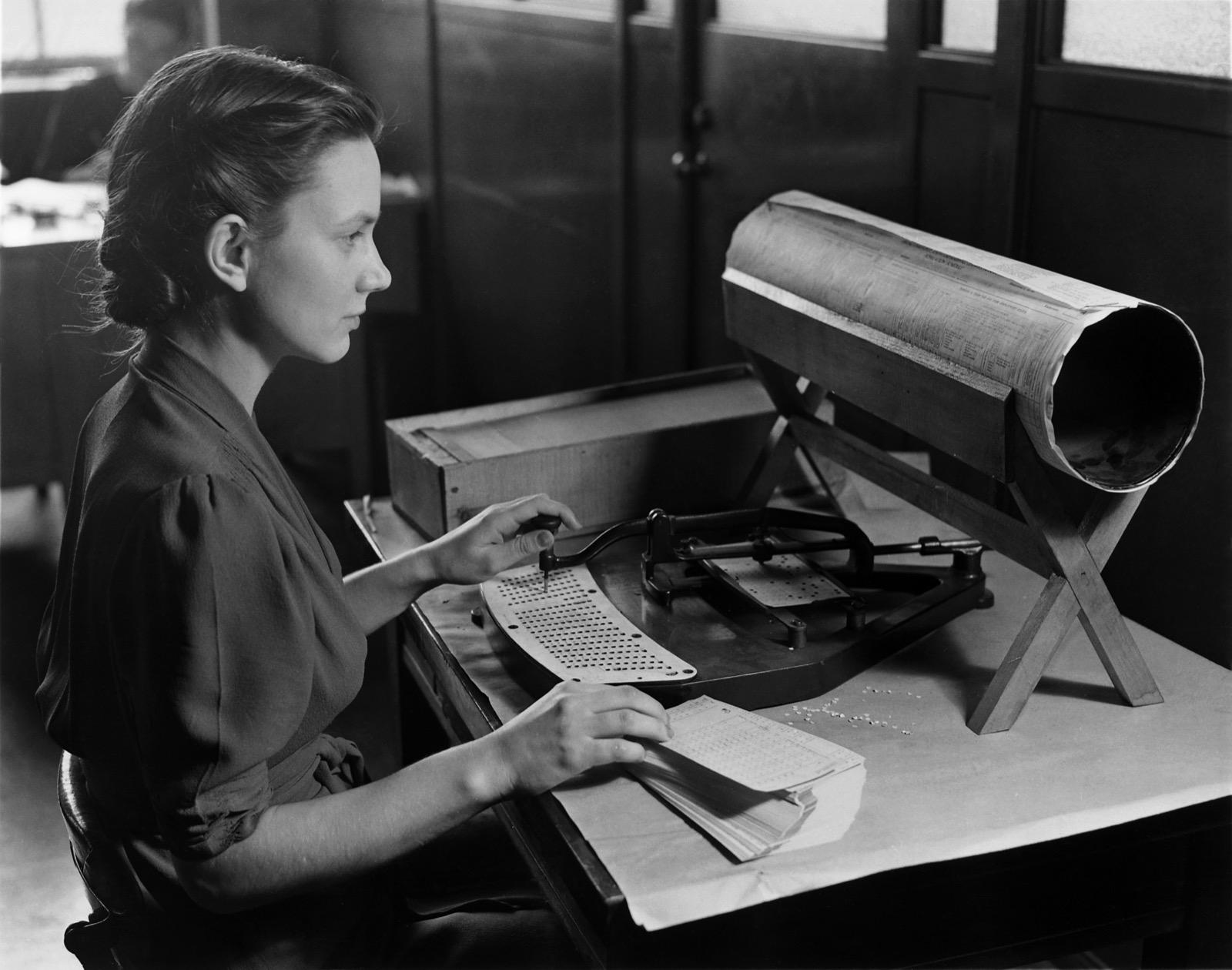
Repeatable document processes — scan, print, archive, fax. Described as procedures with re-runnable steps, not as one-off task lists.
Print from a phone or tablet
- Print From an iPhonePrinting from an iPhone normally uses Apple's built-in AirPrint, which requires no app or driver when the printer is compatible and on the same network. This workflow explains the dependable path.Open the workflow →
- Print From an Android DeviceAndroid printing typically uses the built-in print framework with a print service for the printer. This workflow explains the dependable path and the usual prerequisites.Open the workflow →
- Print Documents From an iPadPrinting from an iPad uses the same built-in AirPrint path as other Apple devices. This workflow focuses on document printing and the common prerequisites.Open the workflow →
- Mobile Office PrintingMobile printing in an office succeeds or fails on network design and discovery. This workflow describes how to make phone and tablet printing dependable for many users.Open the workflow →
Scan to searchable PDF
Print shipping labels
More workflows
- EDI: How Business Documents Moved Before the InternetLong before an invoice could be attached to an email, it could be sent as a strictly formatted block of characters that the receiving company's software posted straight into its own ledger. That was electronic data interchange. The usual account of what happened next — that the internet killed EDI — inverts the history. What the internet replaced was the way EDI documents travelled. The syntax those documents were written in largely stayed where it was, and the standards that carried them onto the internet say so in their own text.Open the workflow →
- Records ComplianceRecords compliance is the layer of legal, regulatory, and policy requirements that governs how records created or captured by an organization — increasingly through enterprise document-capture and archiving systems — must be retained, protected, retrieved, and disposed of. It sits on top of the technical act of scanning, indexing, and storing documents, governing how long a record is kept, how its integrity and authenticity are preserved, who may access or alter it, and when it may be destroyed. The international baseline is ISO 15489-1:2016, which defines authoritative records by four characteristics — authenticity, reliability, integrity, and usability — while sector regulation such as SEC Rule 17a-4 and frameworks like NARA disposition authority and FRCP 37(e) make specific practices enforceable. This page is descriptive and vendor-neutral; it names regulations and standards factually and is not legal advice.Open the workflow →
- Government Records ArchivesGovernment records archives are the institutions, standards, and workflows that capture, preserve, and provide access to the permanent records of government bodies. In the United States this work is anchored by the National Archives and Records Administration (NARA), which appraises and preserves permanently valuable federal records, and the Library of Congress, which maintains national collections and publishes digital-preservation guidance. Archiving is a regulated activity: federal record disposition, including whether records may be destroyed after digitization, is governed by the Federal Records Act (Title 44, U.S. Code) and NARA regulations in Title 36 of the Code of Federal Regulations. Enterprise document capture in this context means digitizing paper and photographic records to archival-quality specifications, with the metadata, quality management, and validation needed to preserve them as legal and historical records. International frameworks — ISO 15489 for records management and ISO 14721 (the OAIS reference model) for digital preservation — provide the shared vocabulary national programs build on. This page describes the archiving lifecycle, the role of OCR, the compliance framework, and the measurable technical requirements the 2023 U.S. permanent-records rule introduced.Open the workflow →
- Medical Record ArchivesA medical record archive, in the enterprise document-capture sense, is the conversion of clinical and administrative health documents into managed digital objects that can be stored, indexed, retrieved, and preserved. The work sits at the intersection of document capture, records management (ISO 15489), and digital preservation (the OAIS reference model, ISO 14721). This reference explains the capture-to-preservation workflow, the role of OCR and searchable PDF/A, and the records-management and compliance context — including the U.S. HIPAA Security Rule for electronic protected health information. It names regulations factually and contains no legal, medical, or compliance advice or guarantees.Open the workflow →
- Legal Document ArchivesA legal document archive is a governed repository for capturing, indexing, and retaining records of legal, evidentiary, or regulatory significance and keeping them retrievable and trustworthy over time. It sits at the intersection of records management (ISO 15489-1:2016), digital preservation (the OAIS reference model, ISO 14721), and e-discovery. This reference describes the vendor-neutral capture-and-archive discipline, its reliance on OCR and searchable PDF/A output, and how it relates to records controls and named compliance regimes. It names regulations and standards factually and does not provide legal advice: whether to retain, hold, or destroy any specific record is a legal and organizational determination.Open the workflow →
- Document Capture WorkflowDocument capture is the set of processes that ingest paper, electronic files, email, and images into an organization's systems, convert them to machine-usable form, index them with metadata, and export them to a repository such as an ECM/DMS, records system, ERP, or CRM. A capture workflow is both a technical pipeline (ingest, pre-process, recognize, separate, classify, extract, validate, export) and a governance activity (assign metadata, apply retention, preserve evidential value). Recognition relies on OCR, ICR, OMR, and barcode reading, with confidence scores routing low-confidence items to human review. Capture connects to records-management standards (ISO 15489), long-term preservation (OAIS / ISO 14721), and regulated digitization rules (NARA 36 CFR Part 1236, Subpart E). Capture that adds automatic classification and extraction is often described as intelligent document processing (IDP).Open the workflow →
- Batch ScanningBatch scanning, also called high-volume or production scanning, is the practice of digitizing large quantities of paper in grouped runs through an automated capture pipeline rather than one document at a time. Paper is prepared, fed through production scanners with automatic document feeders, separated into logical documents using barcodes or patch codes, cleaned up as images, indexed with metadata, quality-checked, and released to a repository or digital archive. It is a workflow rather than a single product: its techniques are documented by scanner and capture-software vendors, while quality, metadata, and preservation requirements are governed by published standards and government guidance, including NARA digitization regulations, FADGI guidelines, ISO 15489 (records management), ISO 14721 (the OAIS reference model), and ISO 19005 (PDF/A).Open the workflow →
- The OCR Workflow (Scan to Searchable Text)Optical character recognition (OCR) converts an image of text into machine-encoded characters, turning a page that a computer can only display into one it can search and index. In practice OCR is one stage in a chain that runs from image capture through preprocessing, recognition, verification, and packaging into an output such as plain text or a searchable PDF. This reference describes the recognition core (using the well-documented Tesseract engine as its example), the full capture-to-text pipeline, accuracy and verification considerations, the standard output formats (plain text, hOCR, ALTO XML, searchable/PDF-A), the invisible-text-layer mechanism behind searchable PDFs, and OCR's role in document management. It draws only on primary and authoritative sources — the Tesseract project, Ray Smith's ICDAR 2007 architecture paper, the hOCR specification, OCRmyPDF, the Library of Congress, the Internet Archive, and the ISO 19005 (PDF/A) standard.Open the workflow →
- OCR for ArchivesOptical character recognition (OCR) in archives and libraries converts images of documents into searchable, machine-encoded text while the original page image remains the authoritative representation. This "image is primary, text is an access aid" model is explicit in programs such as the Library of Congress's Chronicling America, which displays scanned pages alongside uncorrected OCR. Archival OCR runs on raster masters (often TIFF or JPEG 2000), typically using open engines such as Tesseract, and emits structured formats like ALTO and METS or a searchable PDF/A with an OCR text layer beneath the image. Accuracy is variable and often left uncorrected at scale, with historical typefaces and degraded material posing documented challenges; institutions increasingly reprocess legacy scans with improved engines rather than proofreading by hand.Open the workflow →
- OCR for Healthcare DocumentsOptical character recognition (OCR) converts images of text into machine-encoded characters, and in healthcare it is applied to intake forms, consent documents, referral letters, faxed orders, device printouts, and scanned records migrated into electronic systems. Healthcare is a demanding setting because source documents are often heterogeneous and imperfect (handwriting, faxes, stamps, checkboxes) and because the extracted content is frequently protected health information (PHI). This reference describes how OCR works, the capture-to-text pipeline, accuracy and verification considerations, output formats, its relationship to searchable PDF and document management, and its advantages and limitations, using only source-backed facts and offering no legal, compliance, or medical advice.Open the workflow →
- OCR for Legal DocumentsOptical character recognition (OCR) converts images of text — scanned case files, exhibits, contracts, and image-only PDFs — into machine-encoded text that can be searched, indexed, and processed by review software. This reference explains how OCR works, the capture-to-text pipeline, accuracy and verification considerations, output formats, and OCR's central relationship to PDF and searchable PDF. In legal settings the distinctive concern is not the algorithm but the stakes attached to its output: OCR text drives search recall in litigation and interacts directly with redaction obligations, because a hidden text layer can expose information a party meant to withhold. Authoritative court e-filing guidance repeatedly warns that visual masking alone does not remove underlying text or metadata. The page is vendor-neutral, source-backed, and is not legal advice.Open the workflow →
- OCR for NewspapersOptical character recognition (OCR) for newspapers is the automated conversion of scanned newspaper and periodical page images into machine-readable, searchable text. It underpins large historic-newspaper digitization programs such as the U.S. National Digital Newspaper Program (NDNP) and its Chronicling America service, and the National Library of Australia's Trove. Newspaper OCR is unusually difficult because of dense multi-column layouts, mixed fonts, and degraded microfilm sources, and because achieving perfect accuracy on historical material is, in the Library of Congress's words, "virtually impossible." Programs standardize on open METS/ALTO metadata, retain lossless master images so pages can be re-OCR'd later, and treat imperfect OCR as still valuable for search.Open the workflow →
- OCR for BooksOptical character recognition (OCR) for books is the process of converting page images of printed volumes into machine-readable, searchable text. It differs from single-page or form OCR in scale, long-form structure, and source variability. This reference describes how book OCR engines work, the full capture-to-text pipeline, output formats such as hOCR and searchable PDF, accuracy and verification considerations, and its relationship to document management. It draws on documented programs including Google Books, the Internet Archive, Project Gutenberg, and its volunteer proofreading effort Distributed Proofreaders, as well as the open-source Tesseract engine and peer-reviewed research on adaptive book OCR.Open the workflow →
- OCR for ReceiptsReceipt OCR applies optical character recognition to point-of-sale documents to recover their printed text and extract a small set of structured fields — typically merchant, date, and total. Receipts are a distinct, difficult OCR sub-problem: narrow, small-print, often thermal paper subject to skew, low resolution, and fading. Public benchmarks such as ICDAR 2019 SROIE and datasets like CORD frame the task as text localisation, transcription, and key information extraction. This reference describes the technology, its pipeline, accuracy factors, output formats, and limitations, vendor-neutrally and without financial, tax, or legal advice.Open the workflow →
- OCR for InvoicesOptical character recognition (OCR) applied to invoices converts the pixels of a scanned, photographed, or image-only invoice into machine-readable text, after which a separate field-extraction stage locates business values such as invoice number, dates, line items, tax amounts, and totals. OCR sits at the front of accounts-payable automation but performs recognition only; deciding which value is "the total" is a further step built on rules, templates, or trained models. This page describes the image-to-characters-to-fields pipeline, layout and table analysis, positioned output formats (hOCR, ALTO, searchable PDF, PDF/A), validation controls, and OCR's relationship to structured e-invoicing standards such as EN 16931 and Directive 2014/55/EU, where machine-readable data at the source removes the need for OCR entirely.Open the workflow →
- OCR for Forms"OCR for forms" is the use of optical character recognition and its relatives — intelligent character recognition (ICR) for hand-printed text and optical mark recognition (OMR) for checkboxes and bubbles — to convert the filled-in content of a paper or scanned form into structured, machine-readable data. Unlike free-running OCR of a book or letter, form processing prioritizes data capture: reading specific fields and delivering labeled values. The field is unusually well documented because the U.S. National Institute of Standards and Technology (NIST) built and openly released reference form-recognition systems in the 1990s, along with published guidance on form design and evaluation.Open the workflow →
- Scan-to-Cloud WorkflowA scan-to-cloud workflow digitizes a physical document on a scanner or multifunction device and delivers it to a network- or internet-hosted destination rather than saving it only to a locally tethered computer. The term covers both a destination (cloud storage, a file-sync service, email, or a document-management system) and a transport model (the scan initiated or brokered over the network). Vendor-neutral building blocks include eSCL (Apple AirScan), Microsoft's WSD/WS-Scan, the PWG IPP Scan Service, and the archival PDF/A format, while integrations with named commercial services are largely proprietary firmware or companion-app connectors rather than cross-vendor standards. The output side typically produces a searchable PDF via OCR and, for preservation, a PDF/A file conforming to ISO 19005.Open the workflow →
- Scan-to-folder workflowScan-to-folder is a workflow in which a scanner or multifunction printer (MFP) digitizes a document and writes the resulting file directly into a shared folder on a server, PC, or NAS, acting as a network file-sharing client rather than requiring a PC-initiated "pull" scan or an email step. The two dominant transports are SMB (the native Windows file-sharing protocol, also served by macOS, Samba, and NAS appliances) and FTP with its secured variants FTPS and SFTP. Because these transports are standardized, the workflow is implemented consistently across essentially every major MFP brand. The deposited file lands in a known filesystem location, which makes scan-to-folder the classic "hot folder" ingestion point for OCR, indexing, and document management pipelines. Modern relevance is shaped by the industry-wide move off SMBv1 to SMB2/SMB3, the growth of encrypted transports, and the coexistence of cloud and connector destinations that have not displaced the shared-folder pattern.Open the workflow →
- Scan-to-email workflowScan-to-email is a feature of networked multifunction printers, copiers, and standalone network scanners that digitizes a paper document at the device and delivers it as an email attachment directly from the control panel, without routing through a connected PC. The defining characteristic is that the device acts as an email client, not a server: it composes a MIME message and hands it to a configured SMTP server, whose infrastructure handles onward delivery. This page describes how the workflow chains image capture with SMTP submission, the three common submission patterns documented by Microsoft and Google (authenticated SMTP AUTH, connector relay, and direct/restricted send), typical output formats (PDF, searchable PDF, PDF/A, TIFF, JPEG), the roles of OCR and document management, and the practical constraints administrators face — attachment size caps, TLS and port requirements, deliverability (SPF/DKIM/DMARC), and provider send limits. The most significant recent change is the industry-wide shift from basic-authentication SMTP toward OAuth 2.0, which many older devices cannot perform, pushing administrators toward connector-based relay methods. All technical claims are drawn from primary sources including Microsoft Learn, Google Workspace Admin Help, the IETF (RFC 5321/821), ISO (PDF/A-1), and the Mopria Alliance.Open the workflow →
- Shared Printer WorkflowsA shared printer that no one has designed a process around drifts into confusion: cryptic device names, wasteful defaults, confidential pages left in the tray, and jobs no one can clear. This workflow describes the deliberate process that keeps shared printing predictable, private, and low-waste for many users at once.Open the workflow →
Fax workflows are documented in the Fax section.