Key takeaways
- Resolution (DPI) describes dot density, not overall quality on its own.
- Content type and media affect perceived quality as much as DPI.
- Higher DPI has diminishing returns and larger files or slower output.
Printer resolution is commonly stated in dots per inch (DPI): how many individual dots the printer can place along an inch. It is an important factor in quality, but it is not the whole story.
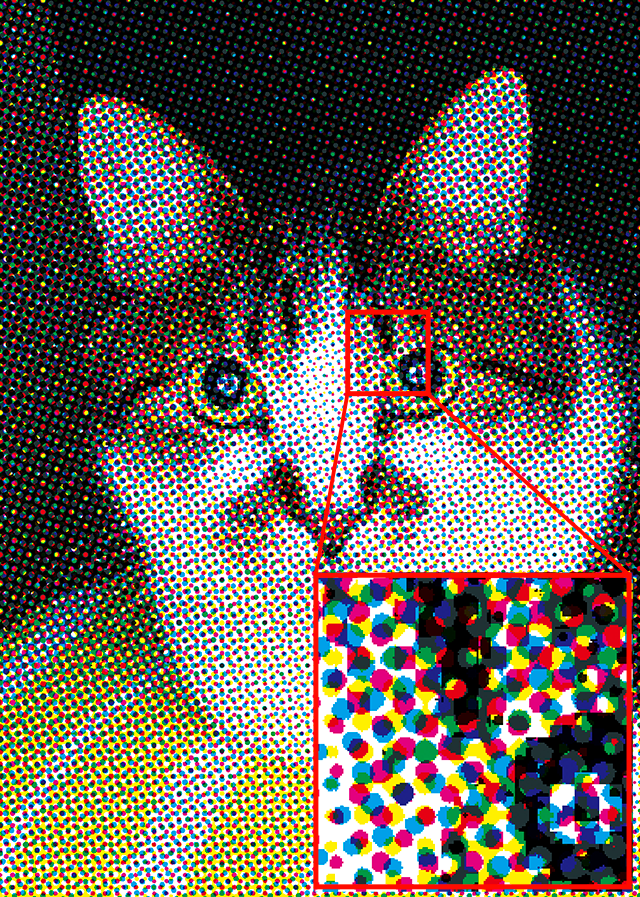

What DPI tells you
Higher DPI allows finer detail. For text and line art, sufficient resolution produces crisp edges; beyond a certain point, increases are hard to perceive at normal viewing distances.
What DPI does not tell you
Perceived quality also depends on the content, the media, and how the printer handles tone and colour. A high DPI number on unsuitable paper does not guarantee a better-looking result.
Practical guidance
- For everyday text, moderate resolution is usually more than enough.
- For photos, media quality matters as much as the DPI figure.
- Very high settings can increase file size and slow output for little visible gain.
Frequently asked questions
- Is a higher DPI always better?
- Not necessarily. Beyond a point the difference is hard to perceive, and very high settings can slow output and enlarge files with little visible benefit.
- What is DPI?
- Dots per inch — the number of individual dots a printer places along a linear inch.
- Why does my high-DPI print still look poor?
- Quality also depends on content and media. Unsuitable paper or poor source material limits the result regardless of DPI.
Continue in the archive
Related reading
Glossary · Definition
DPI (Dots Per Inch)
DPI measures how many individual dots a printer places, or a scanner samples, per linear inch — a core measure of resolution.
Guides · Introductory
How Inkjet Printers Work
How an inkjet printer forms an image by precisely placing tiny droplets of liquid ink onto paper.
Guides · Introductory
Laser vs Inkjet Printers
A balanced, factual comparison of laser and inkjet printing and which suits text, colour, photos, and volume.
Glossary · Definition
Duplex Printing
Duplex printing produces output on both sides of a sheet. It can be automatic or manual depending on the printer.