History
Book scanning descends directly from microfilming rather than from office document scanning. The overhead camera geometry used by modern book scanners is the geometry of the planetary microfilm camera: a camera fixed on a vertical column looking down at a stationary document lit from the sides. In a planetary microfilmer neither the film nor the document moves during exposure, which yields higher resolution than rotary film cameras and makes it possible to film bound or odd-shaped originals such as books. The word planetary survives from that microfilm lineage; no authoritative source documents its exact etymology, so it should be read as descriptive rather than established fact.
Microphotography itself dates to 1839, when John Benjamin Dancer produced early microphotographs, and microfilm matured through the 19th and 20th centuries as the preservation-reformatting medium of record. Firms that built microfilm cameras were the natural originators of overhead scanners. Zeutschel GmbH, founded in 1961 in Tübingen (Hirschau), Germany, began as a microfilm-systems supplier and later became a major producer of overhead book and large-format scanners; the microfilm-camera-to-digital-overhead-scanner continuity is corroborated by both the company and independent resellers. Zeutschel's own "world market leader" phrasing is a company marketing claim and is not treated here as fact.
The 2000s brought mass digitization and purpose-built, high-throughput machines. Project Gutenberg (founded 1971) established the idea of digital full text, initially by re-keying rather than scanning. The Million Book Project (launched 2001) drove large-scale scanning. Google announced its Books Library Project in December 2004 to scan library collections, and holds a patent, US 7,508,978 ("Detection of grooves in scanned images," filed September 2004, granted March 2009), commonly cited as its book-scanning patent; the mechanism uses an infrared pattern to model and computationally flatten curved open pages. The Open Content Alliance, announced October 2005 and administered by the Internet Archive, promoted open mass digitization; the Internet Archive developed its Scribe workstation and later the Table Top Scribe, which began shipping to library partners around 2015. A parallel DIY book-scanner community documented low-cost two-camera cradle rigs.
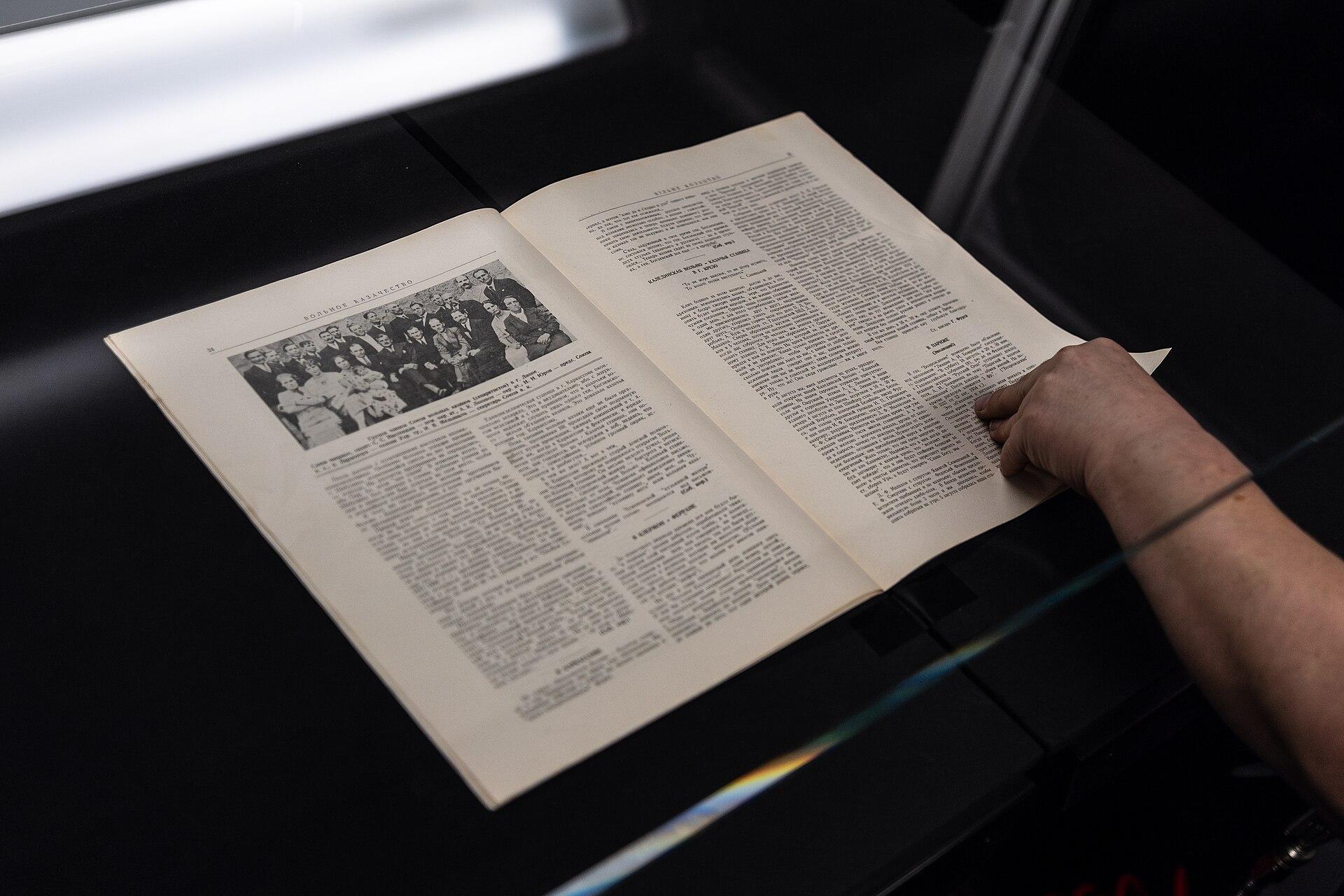

How it works
An overhead/planetary book scanner captures a page spread much like a copy-stand photograph, but with controlled optics, lighting, and geometry.
- Support the book. The volume is placed face-up in a cradle. A V-cradle holds the two halves in a "V" so the spine opens only to a safe angle, keeping the pages near-planar for the camera and preventing spine stress. Cradle height is adjustable so the imaging plane stays constant as the book's two sides change thickness while pages are turned.
- Optionally flatten locally. Many systems lower a glass platen onto the open spread for flatness without spine stress. On the Internet Archive Scribe a glass platen is raised and lowered by a foot pedal for hands-free operation, holding the pages flat while both are photographed. Purely non-contact systems omit the platen and rely on software de-warping instead.
- Illuminate. Side-mounted lighting (modern systems use LED) is positioned to minimize the shadow a binding casts into the gutter and to limit heat and ultraviolet exposure to sensitive materials — a concern echoed in preservation guidance from the Library of Congress.
- Capture. One or two area cameras record the spread. Two-camera rigs on systems such as the Scribe photograph recto and verso simultaneously, each camera framing one page.
- Turn the page. An operator turns the page and repeats. Robotic page-turning scanners use air jets and suction, or mechanical fingers, plus sensors to avoid turning two pages at once.
Against a flatbed for bound volumes, the overhead approach avoids three problems. Pages near the spine curve away from a flat platen, so text there is distorted and the binding casts a dark band across the inner margin. Pressing a book face-down forces the covers backward and stresses the hinges, which can crack older spines. And the book must be flipped, repositioned, and pressed for every spread, which is slow and rough. "Book-edge" flatbeds — glass extended to the housing edge so the spine hangs over the side — reduce but do not eliminate gutter curvature.
Architecture
Typical overhead book-scanner components:
- Column / gantry: a rigid vertical post or frame carrying the camera(s) at a fixed, calibrated distance above the copy plane. On the Internet Archive Scribe this is an aluminum frame with adjustable camera rails.
- Camera(s) / sensor: one area camera for full-spread capture, or two cameras for simultaneous recto/verso. Higher-end systems use large-sensor cameras or scanning backs to reach high resolutions across large formats.
- Book cradle: flat, wedge, or V-shaped; height- and angle-adjustable; often spring-loaded ("floating") to keep the reading surface at constant focus.
- Glass platen (optional): a flat or V-matched sheet lowered onto the spread to flatten pages; actuated by foot pedal, air, or motor.
- Lighting: side LED arrays chosen for even illumination, low heat and UV, and minimal gutter shadow.
- Controls: foot pedals, hand switches, and a capture workstation; high-throughput setups add a separate folio/oversize station for foldouts and maps photographed apart and reintegrated.
- Calibration aids: color and resolution targets, and on some systems focus/geometry aids.
Processing pipeline
A representative non-destructive pipeline, drawn from the Internet Archive's documented workflow:
1. Capture each spread in full color; a technician records structural metadata (page types, page numbers) during scanning. 2. Oversize handling: foldouts photographed at a folio station and merged back into sequence. 3. Quality review on-site. 4. Crop and de-skew each page image; separate the two pages of a spread; remove the cradle background. 5. De-warp page curvature — either avoided optically with a glass platen or corrected in software; Google's patented approach reconstructs a 3D page model from an infrared pattern and flattens it computationally. 6. Transfer master images to processing servers. 7. OCR: run optical character recognition (the Internet Archive uses Tesseract) to produce searchable text. 8. Derive delivery formats.
Master versus derivative files. Archival masters are commonly JPEG 2000 (JP2) or TIFF; the Internet Archive delivers JP2 by default. Derivatives include PDF/A, EPUB, and full text; DjVu was historically an Internet Archive derivative but is not part of the current Table Top Scribe output list.
Resolution guidance. For text capture roughly 300 ppi is generally adequate, and preservation programs recommend higher for cultural-heritage material; the Federal Agencies Digital Guidelines Initiative (FADGI) sets escalating tiers via a star-rating system. Exact per-tier ppi thresholds vary between secondary summaries and should be read from the current FADGI document rather than restated as fixed numbers.
Advantages
- Non-destructive: no cutting or unbinding; bindings and spines are preserved — essential for rare, fragile, and archival material.
- Reduced gutter distortion and shadow compared with pressing a book on a flatbed, especially with a V-cradle and side lighting.
- Gentle handling: face-up support, a controlled opening angle, and (where used) air- or foot-actuated glass reduce mechanical stress.
- Speed and simultaneity: two-camera rigs capture both pages at once, and robotic page-turners enable high throughput.
- Large and irregular formats: overhead geometry handles oversize volumes, foldouts, and thick books better than a fixed-bed flatbed.
- Standards-alignable quality: purpose-built systems can meet demanding image-quality targets (FADGI, ISO 19264-1, Metamorfoze) with calibration targets and controlled lighting.
Limitations
- Cost and footprint: professional overhead and robotic systems are expensive and physically large versus consumer flatbeds.
- Residual page curvature when no platen is used, requiring software de-warping that can introduce artifacts.
- Glass-platen trade-offs: a platen improves flatness but adds a contact surface, possible reflections, and handling steps, and may be unsuitable for the most fragile items.
- Throughput ceilings for manual capture: without automation, page-by-page turning is labor-intensive. The Internet Archive's Table Top Scribe specification cites roughly 500–800 pages per hour for manual operation; higher figures of around 2,000–2,900 pages per hour circulate for automated robotic machines but are vendor-sourced and not independently benchmarked.
- Vendor performance claims (pages per hour, "market leader," star ratings) are frequently marketing and should be verified against independent testing.
- Copyright: mass scanning of in-copyright works is legally constrained; most freely available scans are public-domain or rights-cleared.
Relationship to PDF
PDF is the most common delivery format for scanned books, though rarely the archival master. A scanned-book PDF typically embeds the page images plus a hidden OCR text layer, so the document looks like the original page yet is searchable and selectable. For long-term preservation the archival profile is PDF/A (ISO 19005), which restricts PDF to self-contained, device-independent features; accessibility is addressed by PDF/UA (ISO 14289) together with the OCR, structure, and tagging that let assistive technology navigate the text. Because PDF is a container rather than a capture format, book-scanner pipelines usually retain TIFF or JP2 masters and generate PDF (and other derivatives) for delivery.
Relationship to printers
Book scanners are the capture (input) side of the reprographic chain, whereas printers are the output side; a scanned page can be reprinted, and a scan-then-print loop is the basis of photocopying. Two nuances matter. First, lineage: overhead book scanners descend from microfilm cameras and copy stands, not from the sheet-fed transport used in office printers and multifunction devices, so their optics, lighting, and cradles have little in common with a printer's paper path or marking engine. Second, multifunction devices combine a flatbed or sheet-fed scanner with a printer, but they are optimized for loose office documents and exhibit exactly the gutter-distortion and binding-stress problems that dedicated book scanners exist to avoid. Scanners and printers are complementary halves of document reproduction, but a book scanner is deliberately unlike a printer's transport-based mechanics.
Relationship to workflows
Book scanning is one stage in a broader digitization workflow: selection and condition assessment, preparation (foliation, metadata setup), capture, image processing (crop, de-skew, de-warp), OCR, quality control, derivative generation, metadata packaging, ingest into a repository, and delivery/preservation. Preservation programs formalize this with quality management, benchmarking against targets, and documented handling rules; the Library of Congress and FADGI both frame equipment choice — cradle support, adjustable bed and height, and light/heat limits — as part of the workflow rather than a standalone hardware decision. Structural metadata captured at scan time (page order, section types, foldouts) drives downstream assembly into PDFs and EPUBs and into library catalogs.
Relationship to standards
Two families of standards apply. Imaging-quality and preservation standards define what "good enough" means: FADGI's Technical Guidelines for Digitizing Cultural Heritage Materials (3rd edition, published May 2023) with its star-rating system; the Dutch Metamorfoze preservation-imaging guidelines; and ISO 19264-1 ("Photography — Archiving systems — Imaging systems quality analysis — Part 1: Reflective originals," current edition 2021). Exact per-star ppi thresholds should be read from the current FADGI document rather than from secondary summaries.
Device and software interface standards define how software talks to the scanner: TWAIN, SANE, WIA, and ISIS are the common scanner APIs. In practice high-end overhead book scanners often ship with proprietary capture software tuned to their cameras and cradles rather than relying on a generic TWAIN driver, whereas consumer flatbeds are the classic TWAIN/WIA/SANE devices. The assumption that book scanners use TWAIN should therefore be verified per model.
Relationship to operating systems
Scanner support is mediated by OS-level imaging frameworks: WIA (Windows Image Acquisition) and the cross-platform TWAIN on Windows; ImageCaptureCore/ICA and TWAIN on macOS; and SANE on Linux and other Unix-like systems. Professional overhead book scanners and their bundled capture applications are most commonly Windows-based; when a device is driven by vendor software rather than a standard driver, OS support is defined by that application's platform coverage rather than by TWAIN/WIA/SANE generically. Consumer and prosumer book and flatbed scanners are more likely to expose standard drivers usable by any compliant application on the respective OS.
Modern relevance
Overhead book scanners remain the standard tool for non-destructive library and archive digitization, spanning a wide range: fully automated robotic scanners for mass throughput; operator-run overhead systems with V-cradles and glass platens for rare and fragile material; and inexpensive DIY or document-camera rigs for individuals. Ongoing programs at the Internet Archive, national libraries, and Google Books continue large-scale capture, while computational de-warping, better OCR, and standardized quality benchmarks (FADGI, Metamorfoze, ISO 19264-1) keep raising achievable quality without added stress to the originals. The core distinction endures: for bound volumes, capture the book face-up from above in a cradle, not face-down on a flatbed.
Timeline
1839
John Benjamin Dancer produces early microphotographs, origin of the microfilm lineage that overhead/planetary cameras descend from.
1961
Zeutschel GmbH founded in Tübingen (Hirschau), Germany, as a microfilm-systems supplier; later a major overhead book/large-format scanner maker.
1971
Project Gutenberg founded, establishing digital full text of books.
2001
Million Book Project launched, driving large-scale book scanning.
September 2004
Google files US Patent 7,508,978 ("Detection of grooves in scanned images").
December 2004
Google announces the Books Library Project to scan library collections.
October 2005
Open Content Alliance announced, administered by the Internet Archive.
March 2009
US Patent 7,508,978 granted to Google.
circa 2015
Internet Archive's Table Top Scribe begins shipping to library partners.
May 2023
FADGI publishes the 3rd edition of its Technical Guidelines for Digitizing Cultural Heritage Materials.
Frequently asked questions
- What makes a book scanner different from a flatbed scanner?
- A flatbed presses the book page-down on glass, which distorts text near the spine, casts a gutter shadow, and stresses the binding. A book scanner (overhead/planetary design) keeps the book face-up in a cradle and captures it from above with a camera, so the spine is never forced flat.
- What is a V-cradle and why is it used?
- A V-cradle holds the two halves of an open book in a "V" so the spine opens only to a safe angle (never a full 180 degrees). This keeps the pages near-planar for the camera and prevents spine and hinge stress on fragile or tightly bound material.
- What file formats do book scanners produce?
- Archival masters are commonly JPEG 2000 (JP2) or TIFF. Delivery derivatives include PDF (typically PDF/A with a hidden OCR text layer), EPUB, and plain full text. PDF is a delivery container rather than the capture master.
- How are curved pages flattened without pressing the book?
- Two approaches: a glass platen can be lowered onto the spread for physical flatness, or the curvature is corrected in software (de-warping). Google's patented method reconstructs a 3D page model from an infrared pattern and flattens it computationally.
- What standards govern book-scan image quality?
- Preservation programs benchmark against FADGI's Technical Guidelines (3rd edition, 2023, with a star-rating system), the Dutch Metamorfoze guidelines, and ISO 19264-1 for imaging-system quality analysis. Device interfaces use TWAIN, SANE, WIA, or ISIS, though high-end scanners often use proprietary capture software.
Source transparency (14 sources)
These references support claims made in this entry. The archive uses verified institutional and public-domain sources only; see Source policy.
Sources consulted (14)
- Book scanning — Wikipedia
- Image scanner — Wikipedia
- Google Books — Wikipedia
- Open Content Alliance — Wikipedia
- Detection of grooves in scanned images (US 7,508,978) — Google Patents / USPTO
- The Secret of Google's Book Scanning Machine Revealed — NPR
- Internet Archive Digitization Services — Internet Archive
- Special Book Collections Come Online with the Table Top Scribe — Internet Archive Blogs
- Table Top Scribe Specifications — Internet Archive
- Preservation Guidelines for Digitizing Library Materials — Library of Congress
- 3rd Edition of FADGI Still Image Digitization Guidelines Finalized — Library of Congress (The Signal)
- FADGI Technical Guidelines for Digitizing Cultural Heritage Materials, 3rd Edition — FADGI / digitizationguidelines.gov
- ISO 19264-1:2021 — ISO
- ISO 19005 (PDF/A) — PDF Association
Continue in the archive
Related reading
Guides · Intermediate
Flatbed Scanners
How flatbed scanners work: CCD vs. CIS sensors, line-by-line capture, standards, OS support, and their role in PDF and document workflows.
Guides · Intermediate
History of Scanning
A source-backed reference on the origins and evolution of image and document scanning, from facsimile precursors to driverless networked scanning.
Workflows
Scan to Searchable PDF
A repeatable workflow for turning paper documents into searchable, archival PDF files using scanning and OCR.
Guides · Intermediate
Document scanners
Reference on document scanners: ADF hardware, sensors, image pipeline, driver standards (TWAIN, ISIS, WIA, SANE, eSCL), and PDF/A workflows.